You access Sales Process Manager within an opportunity.
Two different
Opportunity Manager launchpad
Click the

(If you have an Opportunity Manager license, several different tiles are shown in the launchpad.)
Sales Process Manager
launchpad
This launchpad shows a summary of the current state of the opportunity.
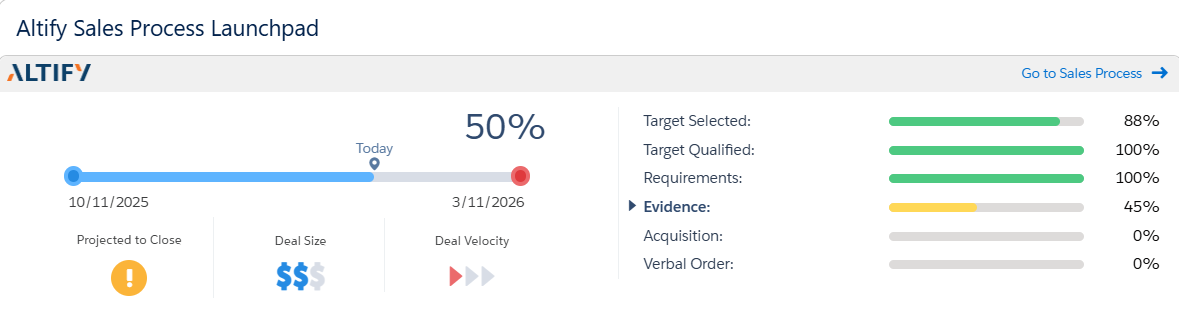
The section on the left provides an overview of the opportunity, including the current Closure Probability (44% in the example shown above). For more information on this data, see Sales process overview.
The section on the right shows current progress in each of the stages of the sales process. The current stage ('Requirements' in the example shown above) is indicated with bold font and an arrow icon. For more information on this data, see Sales process stages.
Click the link in the top right (
AI Assistance: You can access Sales Process Manager information from within your AI assistant. Try the following queries:
-
'What sales process is assigned to this opportunity, and what stage are we at?'
-
'What is the Closure Probability for this opportunity?'
For more prompt suggestions, see MaxAI Prompt Library for Sales Process Manager .